FLASH Encryption User Guide
1. Purpose of FLASH Encryption
The purpose of FLASH encryption is to prevent unauthorized manufacturers from copying and mass-producing products developed by application developers through FLASH duplication. If this is not the intended purpose, using this encryption feature would be meaningless. After enabling this encryption, if the FLASH firmware is copied to another FLASH chip, it will prompt a verification failure (users can also customize other handling methods).
2. Encryption Methods Supported by SDK
The SDK supports two encryption methods. The first is a user-defined encryption algorithm provided to the upgrade tool and SDK, which keeps the encryption algorithm confidential and offers higher security, though it requires more complex implementation. The second method uses the SDK’s default encryption algorithm, where users only need to input the same password in both the upgrade tool and SDK, making it simpler to use.
2.1. Default Encryption Algorithm
This method is simple to use and requires minimal development effort, making it suitable for customers with lower security requirements.
2.1.1. SDK Modifications
- Modify
user_config.hto enable the encryption feature by settingCOPYRIGHT_VERIFICATIONto1. - In
user_config.h, set the encryption method by definingENCRYPT_ALGORITHMasENCRYPT_DEFAULT. - In
ci_flash_data_info.c, before thecopyright_verification2function is called in theci_flash_data_info_initfunction, modify the encryption password to your own, as shown below:
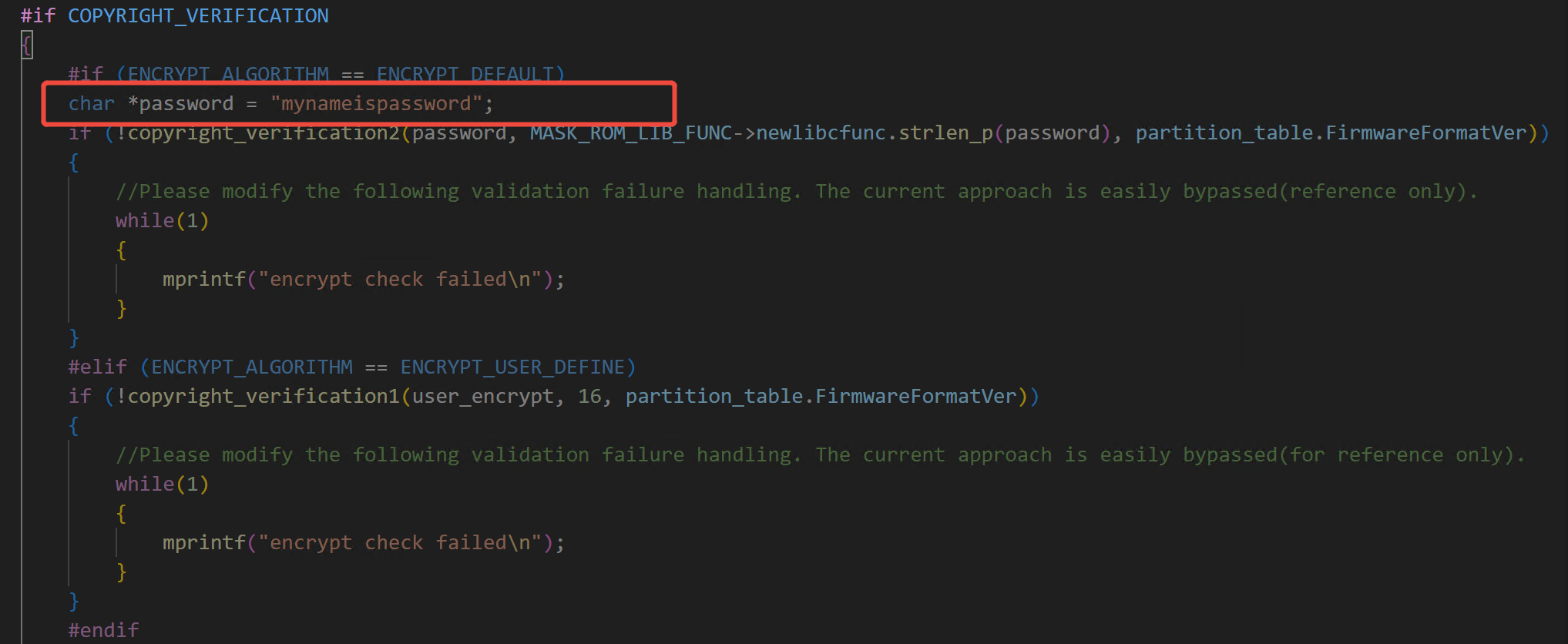
- Modify the handling of verification failures after
copyright_verification2is called inci_flash_data_info.c. The example code in the SDK uses an infinite loop to print verification failure messages. It is recommended to change this approach, as it can be easily reverse-engineered.
2.1.2. Upgrade Tool Usage
- When using the upgrade tool to update the firmware, select the encryption algorithm as “Standard” and enter the password, as shown below:
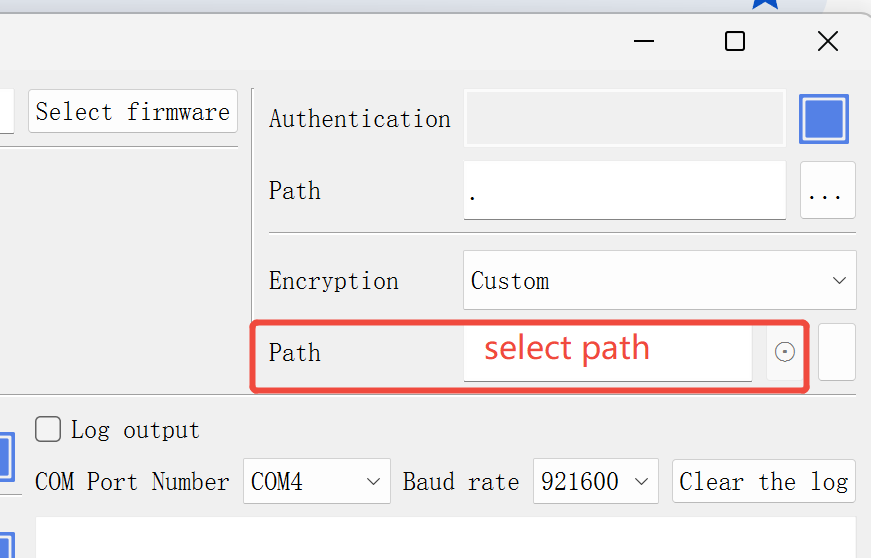
- Open the serial port and proceed with the upgrade as usual.
2.2. User-Defined Encryption Algorithm
This method is slightly more complex and requires more development effort but offers higher security for customers with greater security needs.
2.2.1. Custom Encryption Algorithm Interface
2.2.1.1. C++ Interface:
// psrc:     Source data buffer
// src_len:  Source data length
// pdst:     Output buffer to store the encryption result
// dst_len:  Output buffer size
// out_len:  Length of the resulting data
// Note: If pdst is NULL, only the length of the resulting data is calculated
bool func(char *psrc, int src_len, char *pdst, int dst_len, int *out_len)
2.2.1.2. Python Interface:
def encrypt(data):
    out_data = your_encrypt(data)  # Example code; replace with your algorithm
    return out_data
2.2.2. SDK Modifications
- In
user_config.h, setCOPYRIGHT_VERIFICATIONto1. - In
user_config.h, defineENCRYPT_ALGORITHMasENCRYPT_USER_DEFINE. - Implement the custom encryption function as described in section 2.2.1.
- In
ci_flash_data_info.c, modify the call tocopyright_verification1in theci_flash_data_info_initfunction to pass your custom encryption function, as shown below:
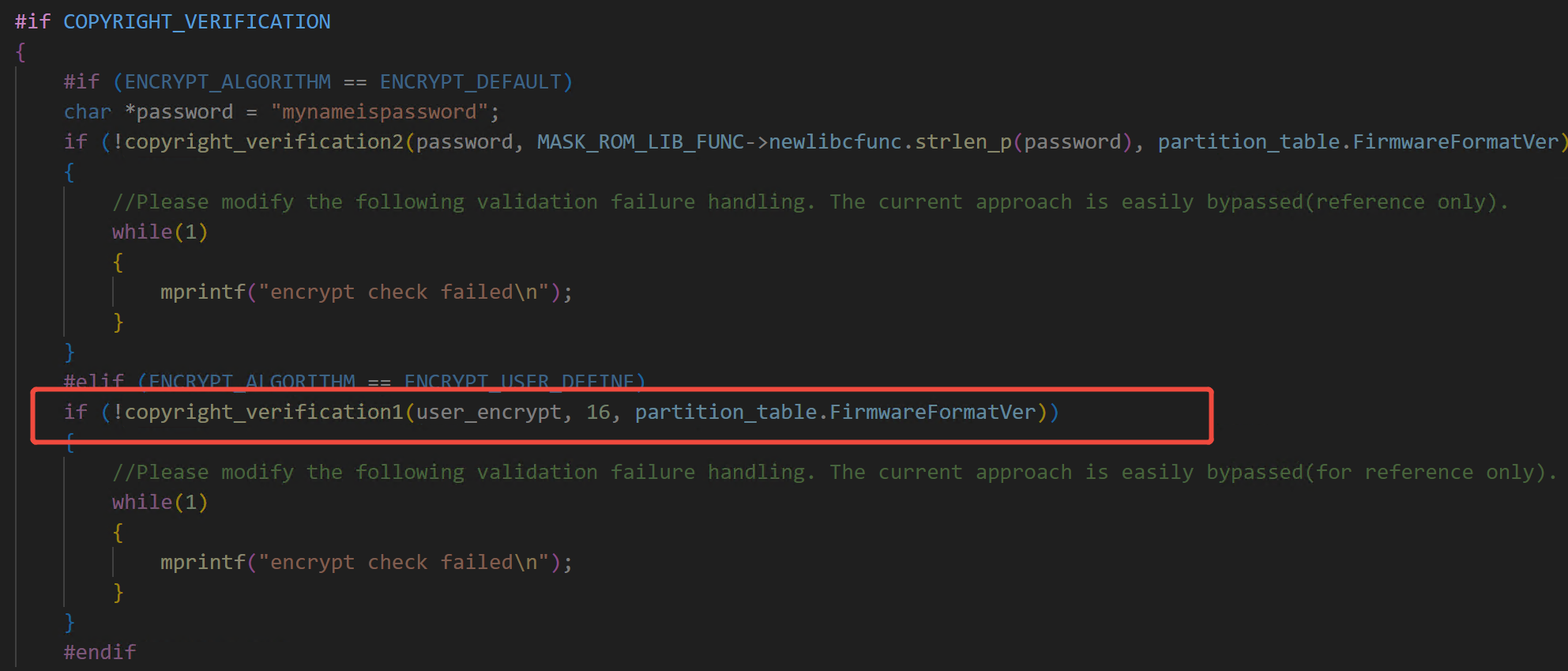
- Modify the handling of verification failures after
copyright_verification1is called inci_flash_data_info.c. The example code in the SDK uses an infinite loop to print verification failure messages. It is recommended to change this approach, as it can be easily reverse-engineered.
2.2.3. Upgrade Tool Usage
-
Implement the custom encryption function as described in section 2.2.1. The upgrade tool supports the following call methods: C++ dynamic link library (
.dll), Python source code (.py), and Python bytecode files (.pyc). -
When using the upgrade tool to update the firmware, select the encryption algorithm as “Custom” and enter the password, as shown below:
- Open the serial port and proceed with the upgrade as usual.
3. Supported Environments
Every FLASH chip shall have a unique identifier (ID).