Board Configuration User Guide
1. Overview
Board configuration files are primarily used to manage the hardware environment of the chip. Examples include configuring pin functions and multiplexing options (which pins are used by UART/I2C, etc.) and parameters of the audio analog circuitry. In the CI13XX series SDK, all hardware-difference-related parameters are abstracted into board configuration files. For Chipintelli official development boards, the SDK provides corresponding board configuration files; simply set the filename for the selected board in user_config.h to run the demo.
2. Instructions
Board configuration code path: CI13XX_SDK\driver\boards
2.1. Code Structure
| Source File | Description |
|---|---|
| board_default.c |
Weakly defined board configuration interfaces |
| board.c board.h |
Board configuration interfaces |
| board_port_template.c |
Board configuration template |
| CI-D06GT01D_REV.c |
CI standard board D06GT01D configuration source |
2.2. Steps to Add a New Board
When defining your own hardware board configuration, follow the steps below. If the SDK already includes the configuration source file for your board, you only need to perform Step 2 to associate it.
2.2.1. Step 1: Add Source File
Add a new board source file, for example, CI-D06GT01D_REV.c. Method: copy board_port_template.c under SDK\driver\boards, rename it, and modify the interfaces according to your board circuitry. If you need to add new interfaces, see Step 3.
2.2.2. Step 2: Associate the New Board Source File
After adding the new board source file under SDK\driver\boards, associate it with the current SDK. Method: open the project and modify the BOARD_PORT_FILE macro definition in user_config.h so that the new board configuration source file is used.
#define BOARD_PORT_FILE "CI-D06GT01D_REV_V1.0.c" // Associate board configuration source file to CI-D06GT01D_REV_V1.0.c
2.2.3. Step 3: Adding New Interfaces
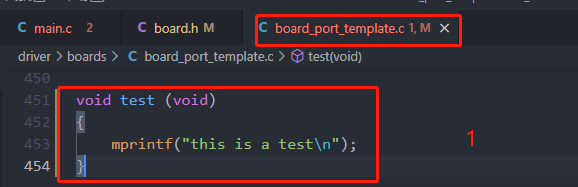
(1) Add interfaces in the newly added configuration source file (example shown below).
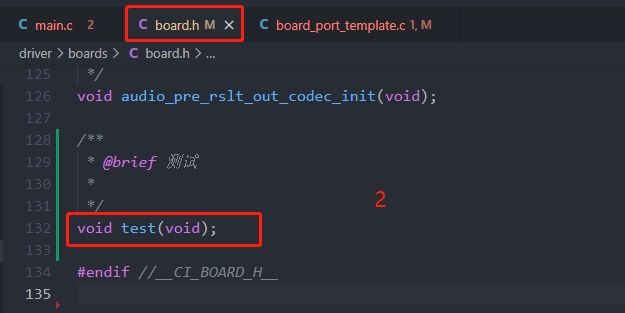
(2) Add the function declarations in boards.h, as shown below.
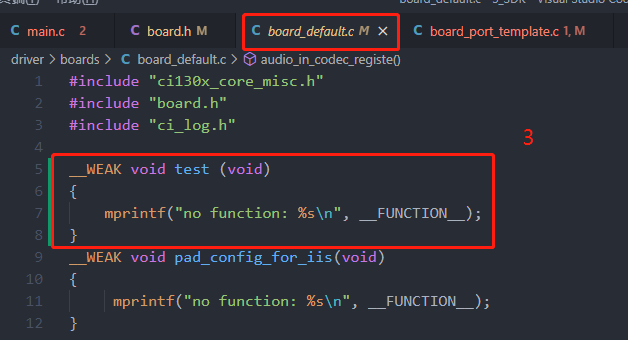
(3) Add a virtual function with the same name in borads_default.c, as shown below.